Test Cases
A structured, searchable library organized by project. Each test case carries its own steps, pre-conditions, credentials, and execution history — version-tracked and always accessible in context.
AlVaTest brings your entire QA process under one roof — generate test cases with AI, run automated browser tests, catch flaky steps and visual regressions, and track performance trends. All with enterprise-grade security.
Built by Quality Engineers, for Quality Engineers.
Most tools force a choice: manage your test cases in one place, run them somewhere else, and stitch results together manually. AlVaTest was built on a different premise — test cases and execution belong together. Write a step, run it, see the screenshot, iterate. All in one platform, always in sync.
A structured, searchable library organized by project. Each test case carries its own steps, pre-conditions, credentials, and execution history — version-tracked and always accessible in context.
The built-in execution engine runs your test cases against real browsers the moment you're ready. No pipeline glue, no separate runner to configure. Results — screenshots, logs, step outcomes — land right back on the test case that produced them.
Suites, plans, milestones, traceability, and reporting — the full QA management layer sits on top of your live test library and its real execution data, not a static spreadsheet copy of it.
From AI-generated test cases to pixel-level visual regression and per-step flakiness scoring — AlVaTest does more of the analysis so your team can focus on shipping.
Provide one or more page URLs and an optional requirements prompt — AlVaTest fetches the page, strips boilerplate, and sends the condensed HTML to Claude to generate complete, runnable test steps. Choose from multiple model tiers based on the complexity of your flow. Generated steps import directly into any test case and are immediately editable.
AlVaTest tracks step-level results across every run and automatically surfaces steps that inconsistently pass or fail. A flaky badge highlights problem steps inline, and a dedicated analysis modal shows the full historical consistency breakdown so your team can pinpoint and fix instability fast.
Every step screenshot is compared against a baseline at the pixel level. AlVaTest stores a diff percentage alongside each step result so you can instantly see where the UI changed between runs — and catch visual regressions before they reach production. Trigger manually or as part of any run.
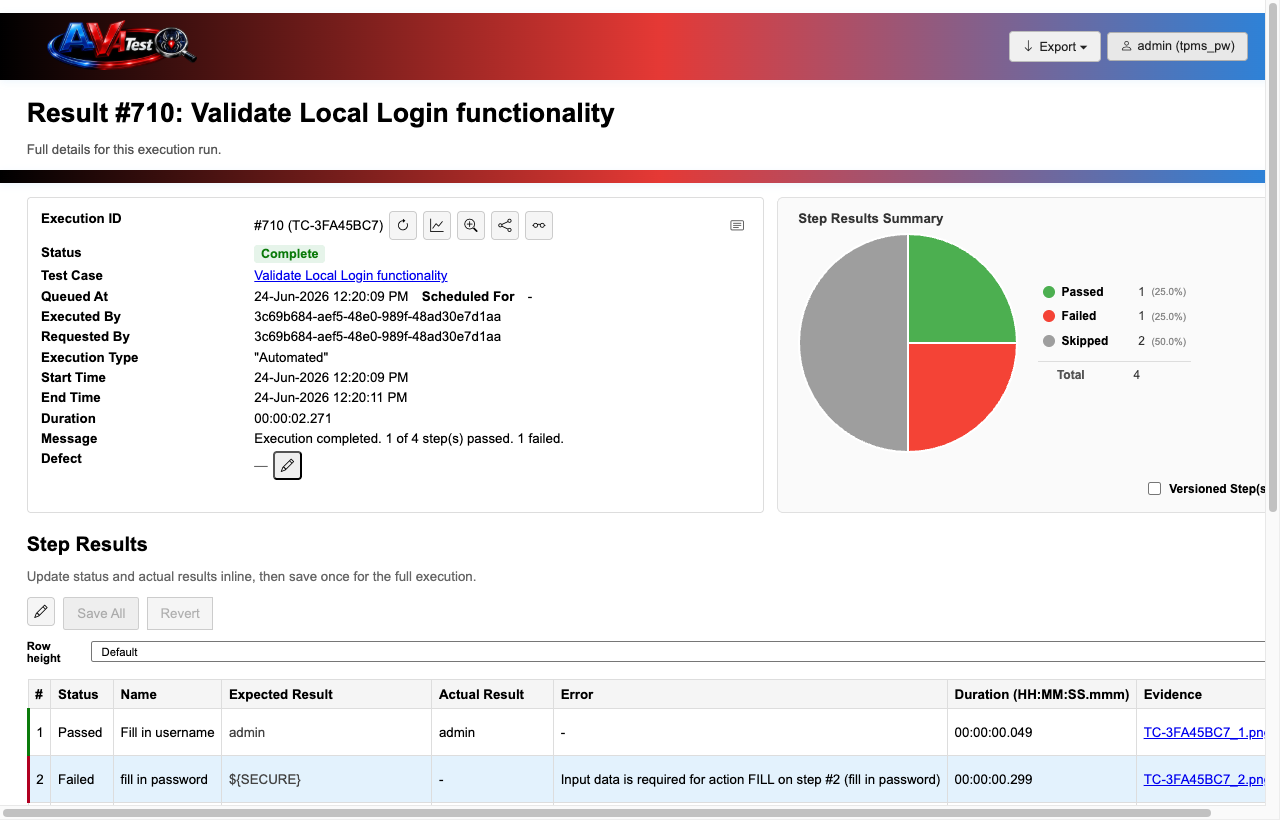
Track execution duration trends across every run with built-in charts. Configure the lookback by last N executions or a custom date range, and instantly spot when a test case started slowing down. Everything is built directly into the result detail view — no external monitoring tools needed.
Track quality posture per release, not just per run. A Milestone groups the Suites that matter for a given release inside its own development-start-to-delivery-date window, with results scoped to that window instead of mixed in with unrelated ad-hoc testing.
Every account can enable TOTP-based two-factor authentication with any standard authenticator app, set up from a dedicated User Settings modal alongside account and contact-admin options. Once enabled, it's required at every login — no bypass.
Attach a reminder to any note — fire it at a scheduled date/time, or the next time you navigate back to that page — delivered as an in-app toast or banner, with an email if you're away from the app. Opt in to be alerted the moment a teammate you're waiting on comes back online.
Performance Charting tells you when a test slowed down. Performance Testing tells you how your app holds up under real traffic. Capture a HAR — from your browser's DevTools or straight from an agent's own recording of a test case run — and AlVaTest turns it into a repeatable JMeter load-test scenario automatically. No hand-written test plans, no separate load-testing tool to learn.
From writing your first test case to running a full cross-browser regression suite, AlVaTest has you covered at every stage of your quality process.
Create, organize, and maintain test cases with detailed steps, pre-conditions, and expected results. Keep your entire test library version-tracked and searchable.
Execute your test cases in real browsers — Chrome, Firefox, Safari, and Edge — directly from the platform with full screenshot and log capture at every step.
Download a lightweight agent to run tests locally or on your CI server. Supports async queuing with cancel and retry — so no run is ever lost.
Validate REST APIs alongside your UI tests. Configure endpoints, methods, headers, request bodies, and assert on status codes and response payloads — no extra tools required.
Onboard your whole team safely. Fine-grained roles — Admin, Developer, Product, Viewer — ensure everyone has exactly the access they need, and nothing more.
Track pass/fail trends, screenshot artifacts, execution logs, and step-by-step results. Assign failures for investigation and download fully self-contained execution archives — offline-readable, no login required — for any result, suite, plan, or milestone.
Token-authenticated trigger links kick off a Test Plan, Suite, Milestone, or Performance Scenario from any pipeline step — no login required. Called from a script, it returns JSON with a shareable results URL; opened in a browser, it redirects to a live public results page. IP allowlisting and a monthly execution cap keep it locked to your own build systems.
Run tests natively with AlVaTest's browser automation agent, or keep your existing TestNG, JUnit 5, or Mocha/Jest suite exactly as it is and report results straight in via the Automation API. Same test case history, same dashboards, same team visibility — either way.
No complex setup. No sprawling YAML configs. Just log in, write your tests, connect an agent, and start executing.
Build test cases manually with our step editor, or point the AI at any page URL and let Claude generate a complete runnable test in seconds. Either way, organize them into projects.
Download the dedicated AlVaTest agent and register it to your organization. The agent manages browser instances and reports results back in real time.
Trigger single tests or full project runs. Review pass/fail results, inspect screenshots, and assign failures to your team — all in one workflow.
Our structured step editor makes it easy to build repeatable, maintainable test cases. Add pre-conditions, supporting steps, and data-driven parameters — no coding required.
Never wonder what happened. Every test run captures screenshots, logs, and step-by-step outcomes so you can diagnose failures in seconds.
Add one or more page URLs, describe what you want to test, pick a Claude model, and hit Generate. AlVaTest fetches each page, strips scripts and boilerplate, and sends the condensed HTML to the AI — which returns structured, immediately runnable test steps.
Hand-writing CSS selectors, JSON bodies, and dialog handler config is where QA hours quietly disappear. AlVaTest turns that fiddly syntax into guided builders — or skips the builder entirely and lets you just click the element you mean.